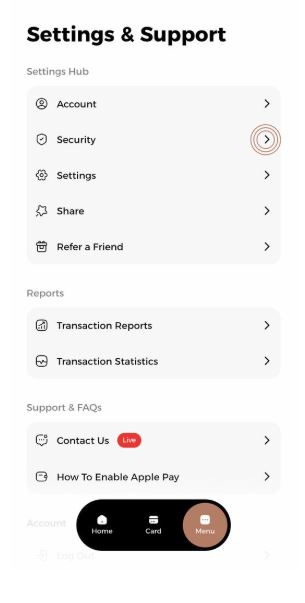
1- Click on the Security option in the menu.
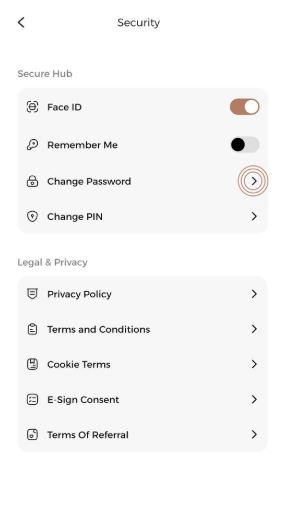
2- Click on the "Change Password" option.
3- Enter both your current and new password.
4-Your Odix Pay application password will be successfully changed.
1- Click on the Security option in the menu.
2- Click on the "Change Password" option.
3- Enter both your current and new password.
4-Your Odix Pay application password will be successfully changed.
Our support team is ready to assist you